Difference between revisions of "Tips for PHP"
Jump to navigation
Jump to search
Faiz.kwong (talk | contribs) |
Faiz.kwong (talk | contribs) |
||
| Line 10: | Line 10: | ||
Password : password of your host. | Password : password of your host. | ||
| − | After that go to your Advanced tab. At the default local directory: browse your respiratory > your path project file. '''Example : D:\Respiratory\dev-test-web''' | + | *After that go to your Advanced tab. At the default local directory: browse your respiratory > your path project file. '''Example : D:\Respiratory\dev-test-web''' |
At the default remote directory: /public_html // This is the directory of the project in the server. | At the default remote directory: /public_html // This is the directory of the project in the server. | ||
Tick Use synchronized browsing. Tick directory comparison. // This is to compare whether there is changes in files or not. Yellow means the files not in either your workspace nor server. Green means changes that have been made. | Tick Use synchronized browsing. Tick directory comparison. // This is to compare whether there is changes in files or not. Yellow means the files not in either your workspace nor server. Green means changes that have been made. | ||
Revision as of 04:59, 13 August 2019
START HERE:
1. Install FileZilla
- After the installation, go to the file > site manager > Click My Sites > Click New Site > name it same as your host name Example : dev.test.valse.my.
Under the protocol: choose 'FTP- File Transfer Protocol'.
Encryption: choose'Only use plain FTP(insecure).
Logon type : choose 'Normal'.
User : username of your host.
Password : password of your host.
- After that go to your Advanced tab. At the default local directory: browse your respiratory > your path project file. Example : D:\Respiratory\dev-test-web
At the default remote directory: /public_html // This is the directory of the project in the server. Tick Use synchronized browsing. Tick directory comparison. // This is to compare whether there is changes in files or not. Yellow means the files not in either your workspace nor server. Green means changes that have been made.
FileZilla is manual uploader to your server. For future, we will be using gitlab to synchronize with server db.
2. Concept be used
- Flow for the php is example Index.php > test.controller.php > test.model.php ; User will click button and the function in controller will request ID or parameter from the model.
Do not forget to save every time you make changes in file.php. For the comment, use proper ways to comment in the coding example
   // For downloading PDF invoice or other types of files.
   protected function Download()
   {
       if ($this->section=='main') {
           Helper::redirect404();
       } elseif ($this->section=='admin') {
           // Control Access
           Staff::Access(1);
   }
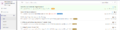
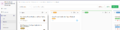
- In the gitlab, the important is in the Issues section. Click Issues, then there is sub under of it like; List, Boards, Labels, Milestones. Always check on List and Boards. Example in picture
Caption1
Caption2


3. References
- References for PHP can be use/search at https://www.w3schools.com/. In w3schools will show the PHP functions, Ajax functions and many more.
